
On the security side, the session is SSL-encrypted, the form hides the password by default (with an icon to show it) and the platform applies identity verification before withdrawals. This guide details each step of the Spinboss casino login, password recovery and solutions to the most common errors.
| Login element | Details |
|---|---|
| Where to log in | LOG IN button at the top right of the site |
| Identifier | Email address or phone number (switchable in the form) |
| Password | Case-sensitive, show icon available |
| Recovery | "Forgot your password?" link below the login button |
| Devices | Desktop and mobile browsers (Safari, Chrome, Firefox) |
| Session security | SSL encryption, automatic logout after prolonged inactivity |
| KYC verification | Requested before the first withdrawal or on support's request |
| Account currency | CAD for Canadian players |
| Support | Help Centre + 24/7 live chat |
How to log in to Spinboss
The procedure takes under a minute if your credentials are at hand. During our test, the dashboard displayed immediately after confirmation, with no page reload.
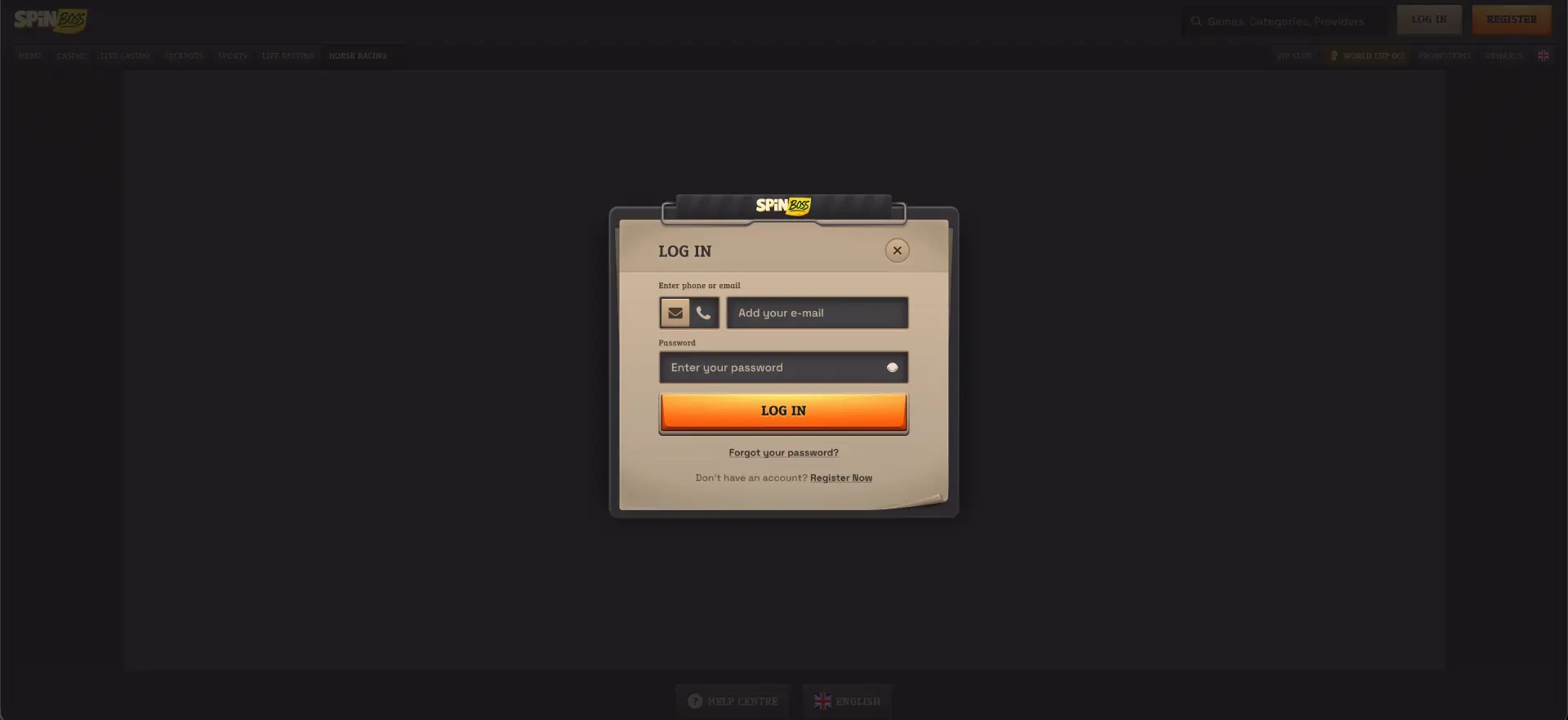
Step-by-step login
Here is the exact flow, as we followed it on desktop during our session.
- Open the Spinboss site in your browser.
- Click the LOG IN button in the top right corner of the page.
- In the "LOG IN" window, choose your identification method: envelope icon for email or phone icon for the mobile number.
- Enter the email address (or number) used at registration.
- Type your password - the field is case-sensitive.
- Click LOG IN and wait for the dashboard to load without refreshing the page.
Create an account if you don't have a profile yet
Without an existing account, click "Register Now" from the login window or the REGISTER button in the top menu.
Quick registration
The form fits in a single window - allow a minute, no documents required at this stage.
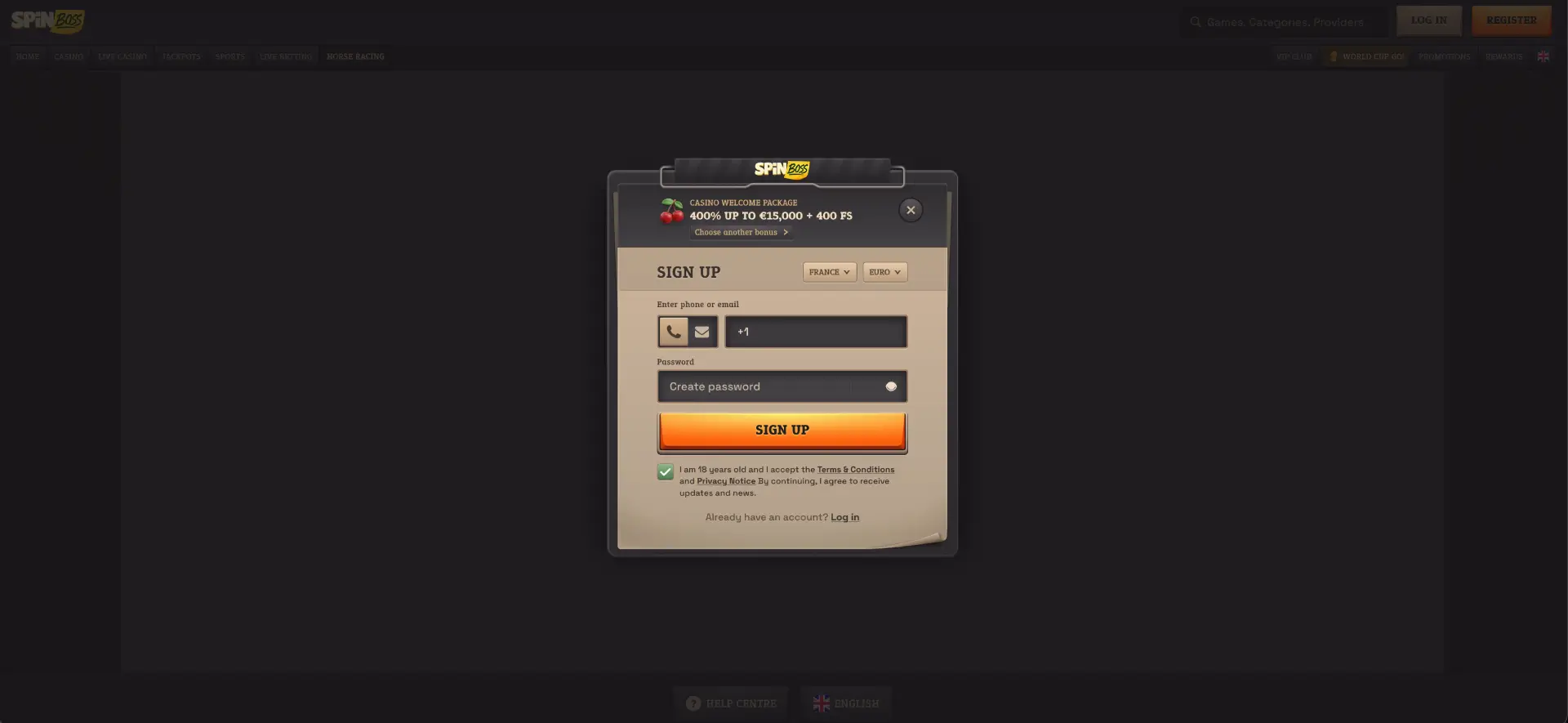
- Click REGISTER - the "SIGN UP" window opens with the 400% up to C$15,000 + 400 FS casino welcome pack shown at the top.
- Check the drop-down menus: country "Canada", currency "Canadian Dollar".
- Enter your phone number or email.
- Create a password via the "Create password" field.
- To change the welcome offer, click "Choose another bonus".
- Tick the age (18) and terms box, then confirm with SIGN UP.
Best practices for a secure login
A few simple reflexes lastingly protect access to the account and the CAD balance it holds.
- Use a unique password, never reused on other gaming sites.
- Don't save your credentials on a shared device.
- Check the site URL before entering your credentials - avoid links received in unsolicited messages.
- Log out after each session on mobile if the phone isn't protected by a passcode.
- Keep your browser up to date: we found reliable performance on recent versions of Chrome and Safari.
Forgotten password: recovery
A lost password doesn't lock the account. The login window contains a dedicated reset link.
Reset steps
The full procedure takes under five minutes if you have access to your inbox or your phone.
- Click LOG IN, then "Forgot your password?" below the orange button.
- Enter the email or phone associated with the account.
- Open the message received and follow the reset link.
- Create a new password, different from the old one.
- Log back in with the new credentials.
Mobile login to Spinboss casino
Mobile login uses the same form as on desktop. During our session on iPhone 14 (Safari) and Samsung S23 (Chrome), the login window opened instantly and the session stayed active in the background.
Tips for mobile
Three settings make login from a phone more reliable, especially on the go.
- Add the site to your home screen for one-tap access (see our dedicated mobile version page).
- Enable secure autofill from your password manager.
- On an unstable 4G connection, wait for the form to fully load before confirming.
Resolving common login errors
Four families of errors cover almost all the blocks encountered - each has its direct solution.
Incorrect credentials
Check the password case, the absence of a trailing space and the selected identification method (email or phone). After several failures, use the reset rather than multiplying attempts.
Browser or cache issues
If the login page loads but the form doesn't respond:
- Clear the cache and cookies, then reload the page.
- Disable extensions that block scripts or third-party content.
- Try another browser - Chrome and Safari proved reliable during our tests.
Confirmation code not received
For a registration or recovery by phone, check the number format and network reception. By email, check the spam folder before requesting another send.
Blocked account
A block can follow repeated attempts, a pending verification request or a security measure. Contact 24/7 chat: support indicates the cause and any documents that may be required.
What you find after logging in
Once logged in, the dashboard centralizes all the account sections in a single menu.
- The full catalogue: casino, live casino, jackpots, sports and in-play betting.
- The CAD cashier for deposits and withdrawals.
- The Promotions page and bonus activation.
- The World Cup GO! journey and the coin missions.
- The Rewards shop to exchange your coins.
- Your VIP progression, from Intern to World's Best Boss.
Account verification (KYC)
Identity verification generally happens before the first withdrawal, sometimes earlier at support's request. Prepare a valid photo ID, a recent proof of address and, if needed, proof of the payment method used. Once the documents are validated, subsequent withdrawals don't require new verification, except when changing payment method.
FAQ - Spinboss login
The essentials on Spinboss login in quick Q&A form.
How do I log in to Spinboss casino?
Click LOG IN at the top right, choose email or phone, enter your credentials and confirm. The dashboard loads immediately.
Can I log in with my phone number?
Yes - the Spinboss login form accepts email or mobile number, switchable via the icons to the left of the field.
What do I do if I forgot my password?
Use the "Forgot your password?" link in the login window, then follow the reset link received by email or phone.
Is mobile login identical?
Yes - same form, same credentials. The site works in Safari, Chrome and Firefox with no app to install.
Why is my Spinboss account blocked?
Most often: repeated login attempts, pending KYC verification or a security check. The 24/7 live chat specifies what to do.
When is identity verification requested?
Before the first withdrawal in most cases. A photo ID and a proof of address are generally enough.